Momentum – Designing a system to help students sustain motivation through behavioral insights
Overview
College students often begin the semester motivated but struggle to maintain focus and consistency as academic pressure, fatigue, and competing responsibilities increase. Most productivity tools focus on organizing tasks but fail to account for the psychological and behavioral factors that influence follow-through.
Momentum is a mobile application designed to support student motivation by integrating academic planning with behavioral insights such as sleep patterns, mood trends, and screen time. Instead of relying on reminders or rigid task lists, the system provides personalized strategies based on each student’s current behavior patterns. T
he goal was to design a system that supports motivation in a more holistic way by connecting academic work with well-being, routines, and cognitive capacity.
Problem
Students experience declining motivation over the course of a semester due to factors like:
• cognitive overload from large assignments
• burnout and mental fatigue
• lack of structured study routines
• difficulty translating goals into actionable steps
Most digital productivity tools address task organization, but they do not account for the behavioral and psychological conditions that determine whether a student can actually begin and sustain work.
This creates a gap between planning work and actually doing it.
Goal
Design a system that helps students maintain motivation by:
• reducing overwhelm when starting tasks
• aligning study strategies with behavioral patterns
• supporting healthy routines that sustain focus
• providing personalized guidance without requiring constant manual input
The product needed to feel supportive rather than demanding, helping students regain momentum during periods of low motivation.
My Role
Product Designer
Responsibilities included:
• product concept and strategy
• UX research synthesis
• interaction design
• prototyping and visual design
• branding and design system development
Design Approach
The project followed an iterative design process combining behavioral research with hands-on prototyping. Early design exploration began with paper wireframes that mapped potential user flows and information structures. Initial concepts included journaling features, daily reflection tools, and task management components.
However, early iterations revealed that requiring frequent user input created friction and increased cognitive load. These features were gradually simplified or removed in favor of systems that relied more on passive data and automated insights. Through multiple iterations, the design evolved toward a lightweight experience that reduced effort for the user while still offering meaningful support.
Once the core flows were defined, the interface was developed into high-fidelity prototypes and refined for clarity, accessibility, and emotional tone.
Solution
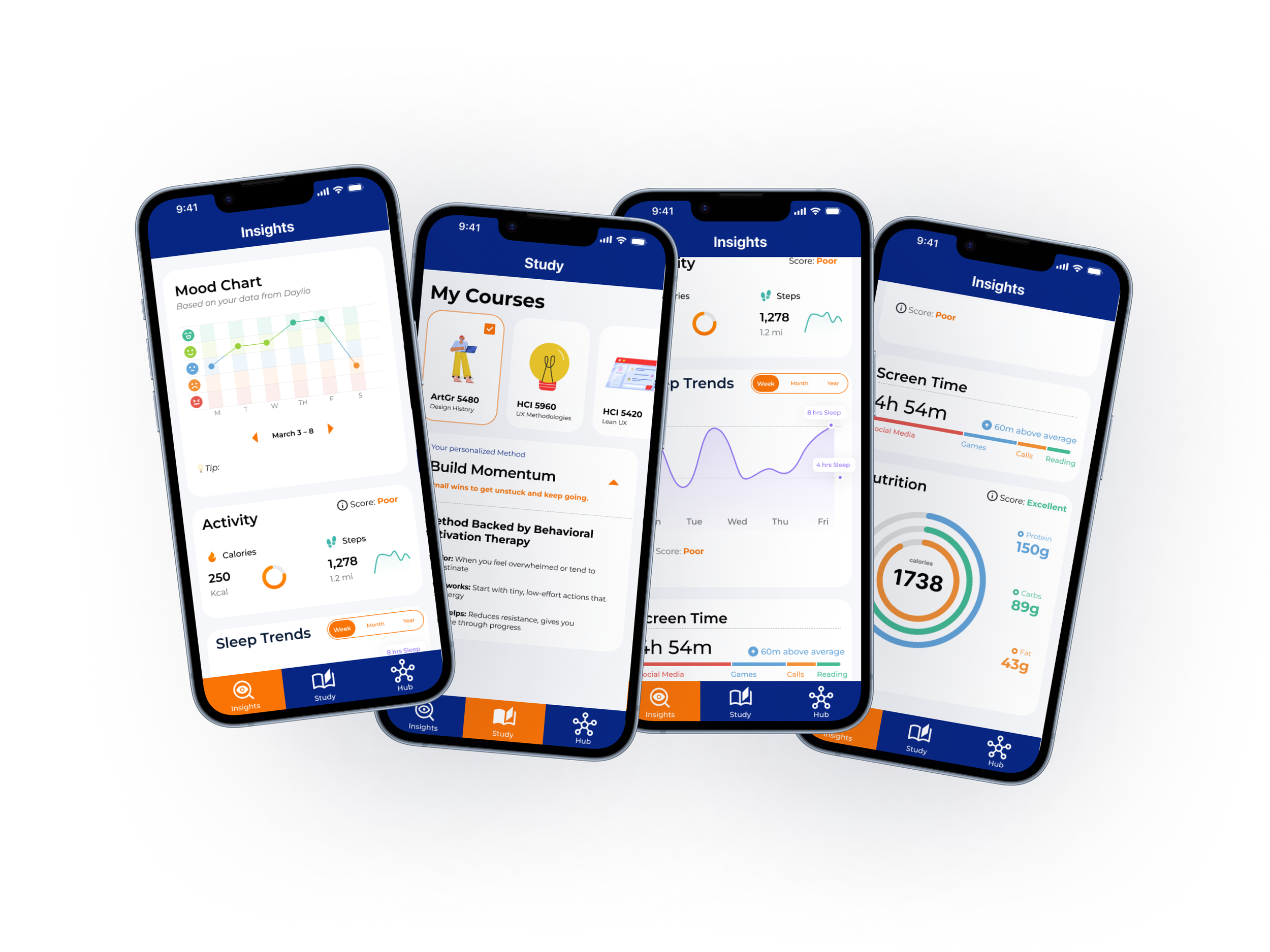
Momentum is a mobile app that connects academic tasks with behavioral data to provide personalized motivational strategies.
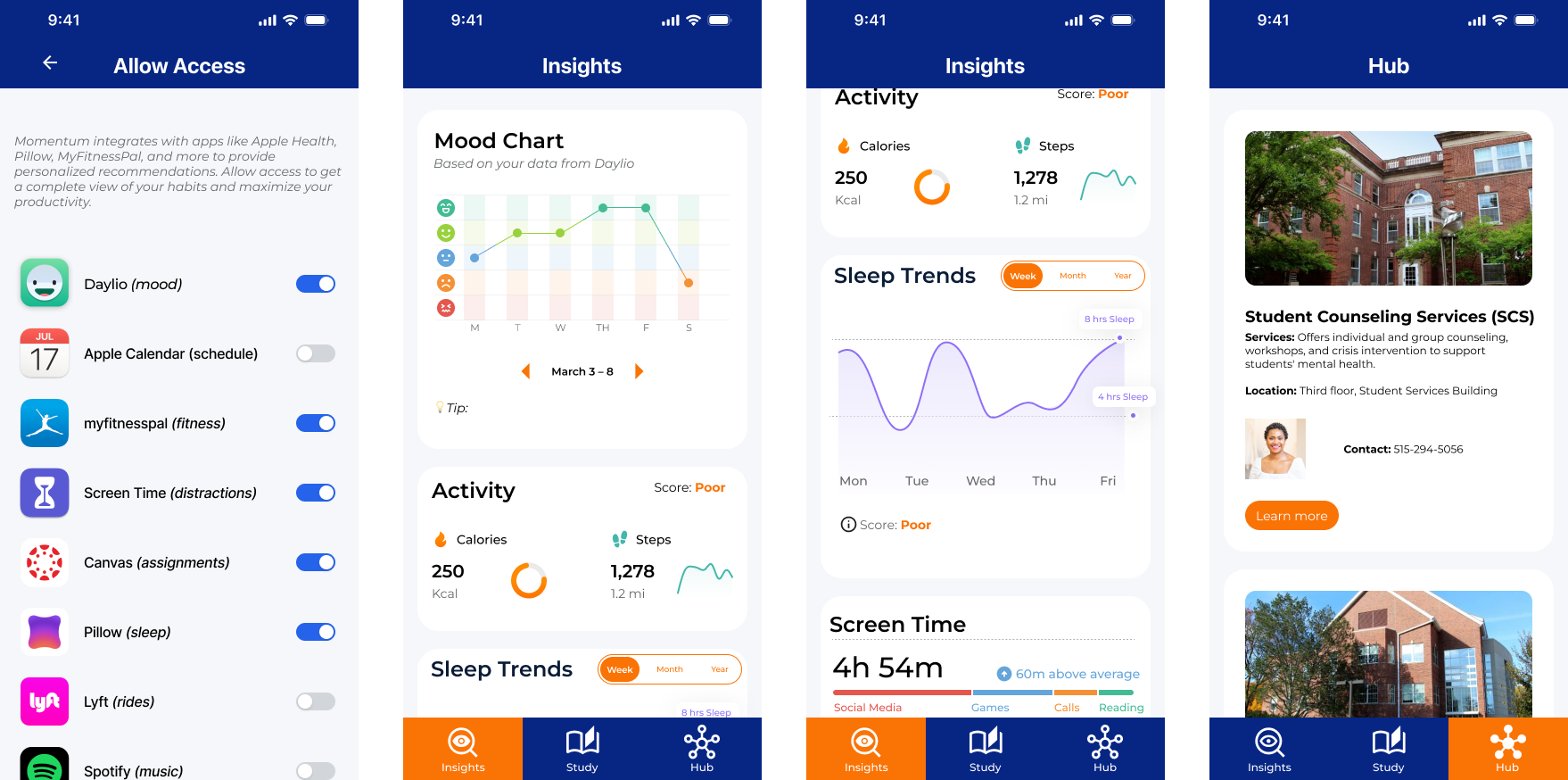
The app integrates with tools students already use, such as academic platforms and health or activity trackers, allowing it to recognize patterns that influence motivation and focus.
Instead of simply listing assignments, Momentum recommends study approaches tailored to the student’s current behavior patterns.
This creates a system that adapts to the user’s state rather than expecting consistent productivity.
Ideation and Concept Sketches
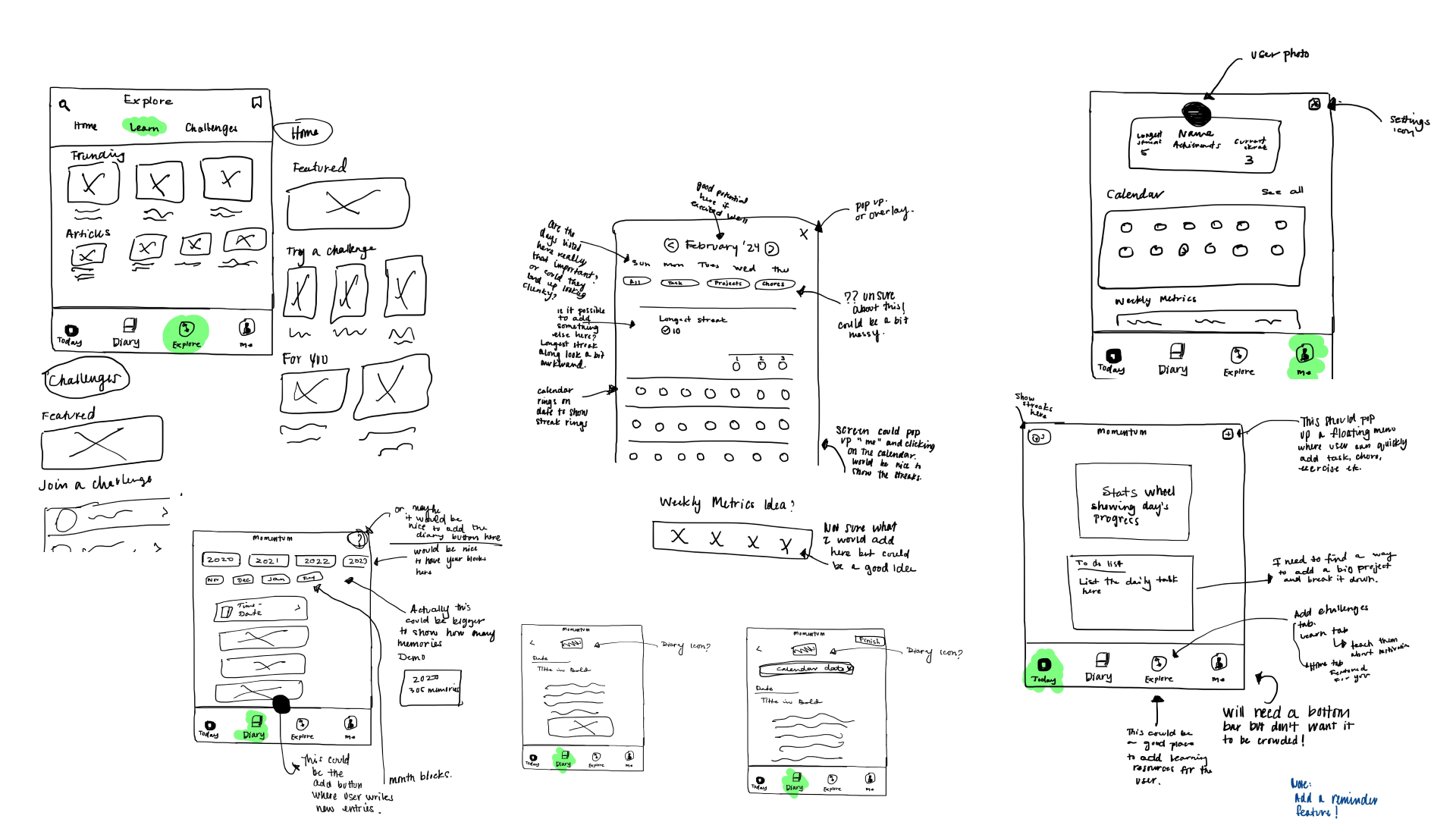
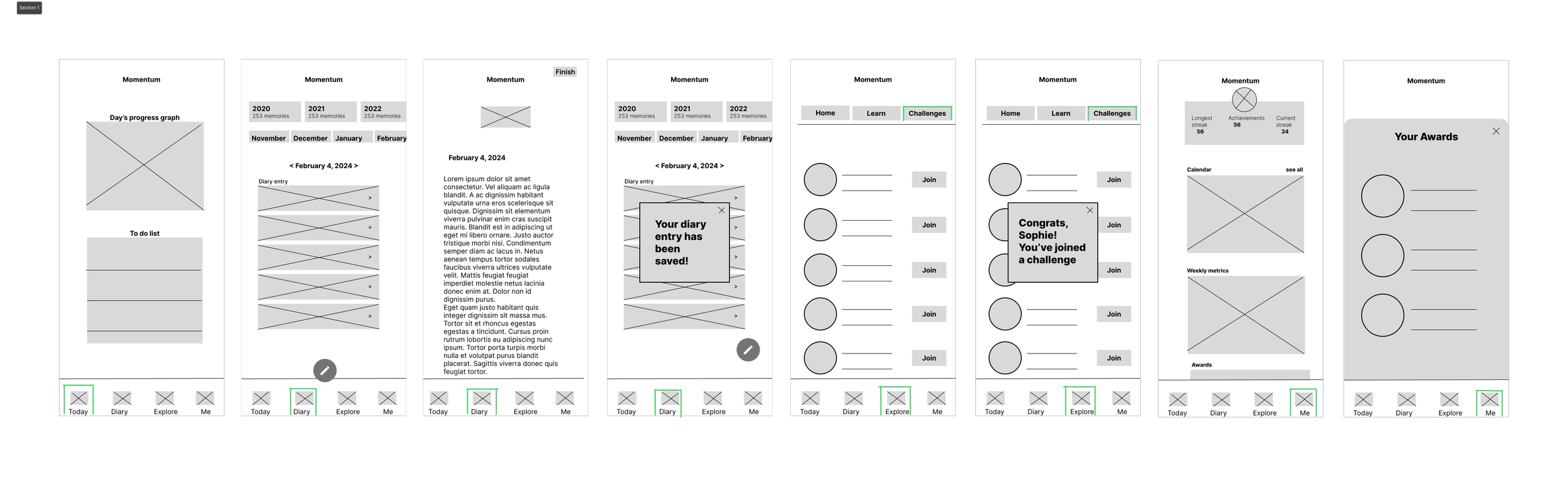
Lo-fi Exploration
Defining the Product Structure
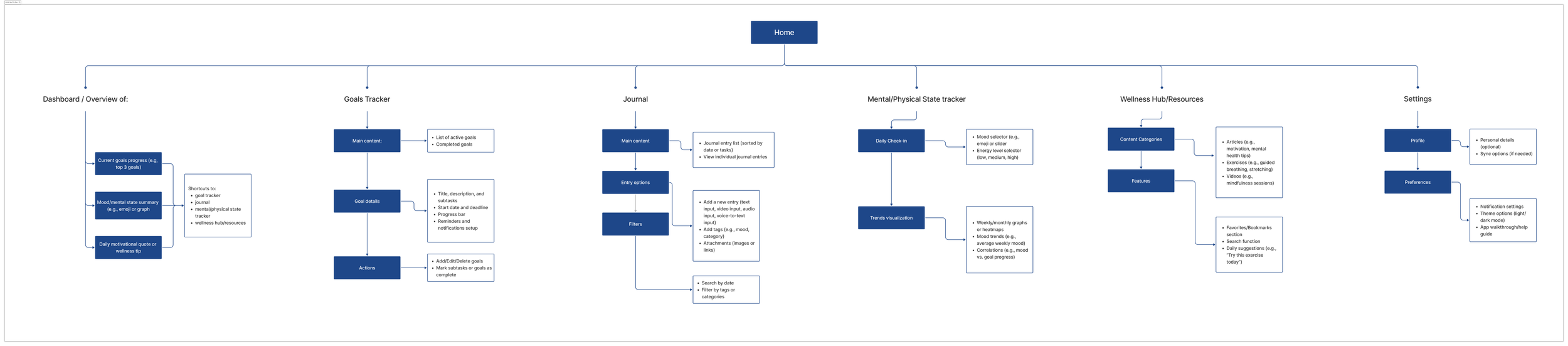
Hi-Fi Overview
Key Feature: Motivational Matching System
A central feature of Momentum is the Motivational Matching System.
This system analyzes behavioral signals such as:
• sleep patterns
• activity levels
• screen time
• mood trends
• upcoming academic deadlines
Based on these patterns, the app recommends a strategy designed to help the student move forward with minimal resistance.
The system continuously adapts as new behavioral patterns emerge, allowing support strategies to evolve throughout the semester.
Motivational Strategies
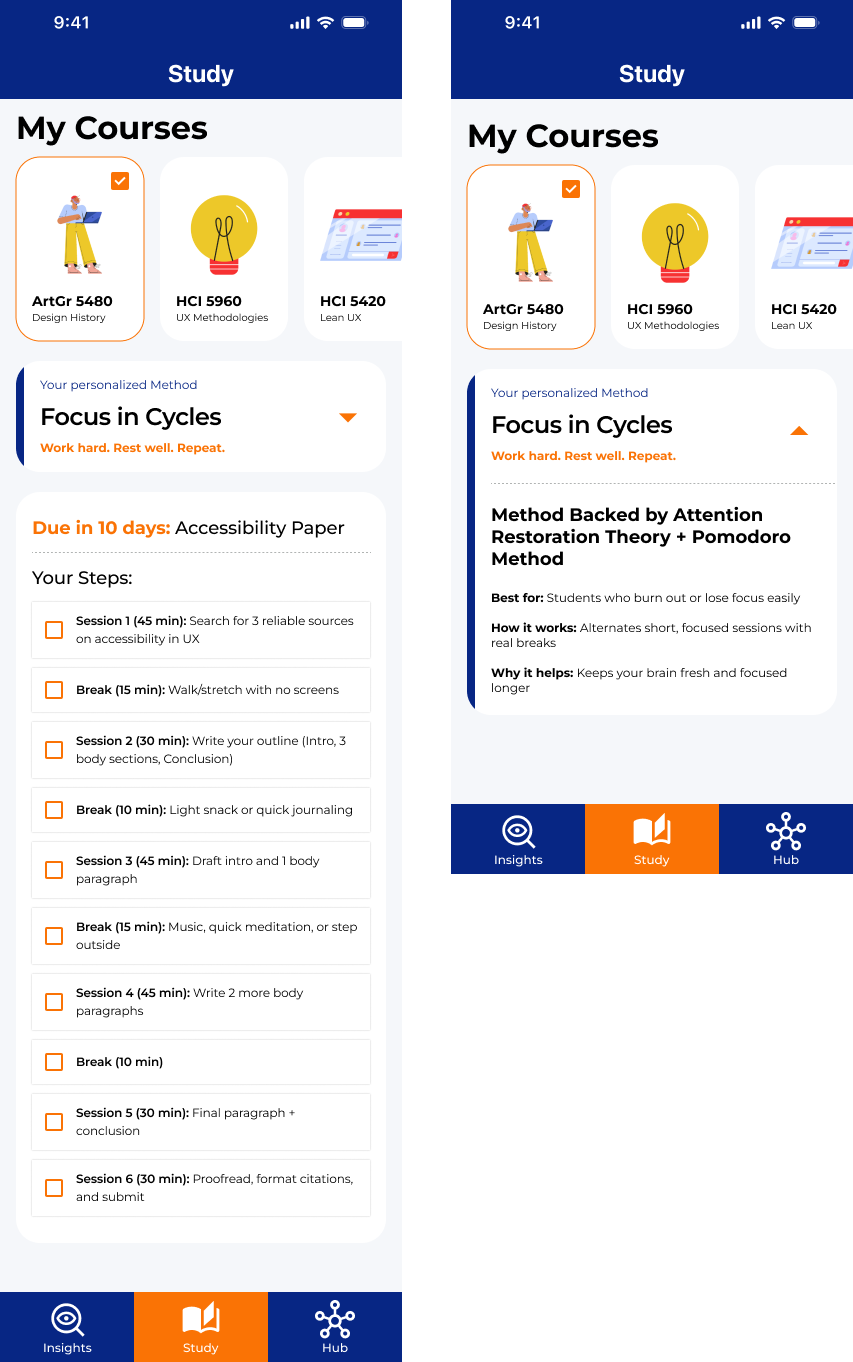
Five core strategies designed to address common motivational barriers.
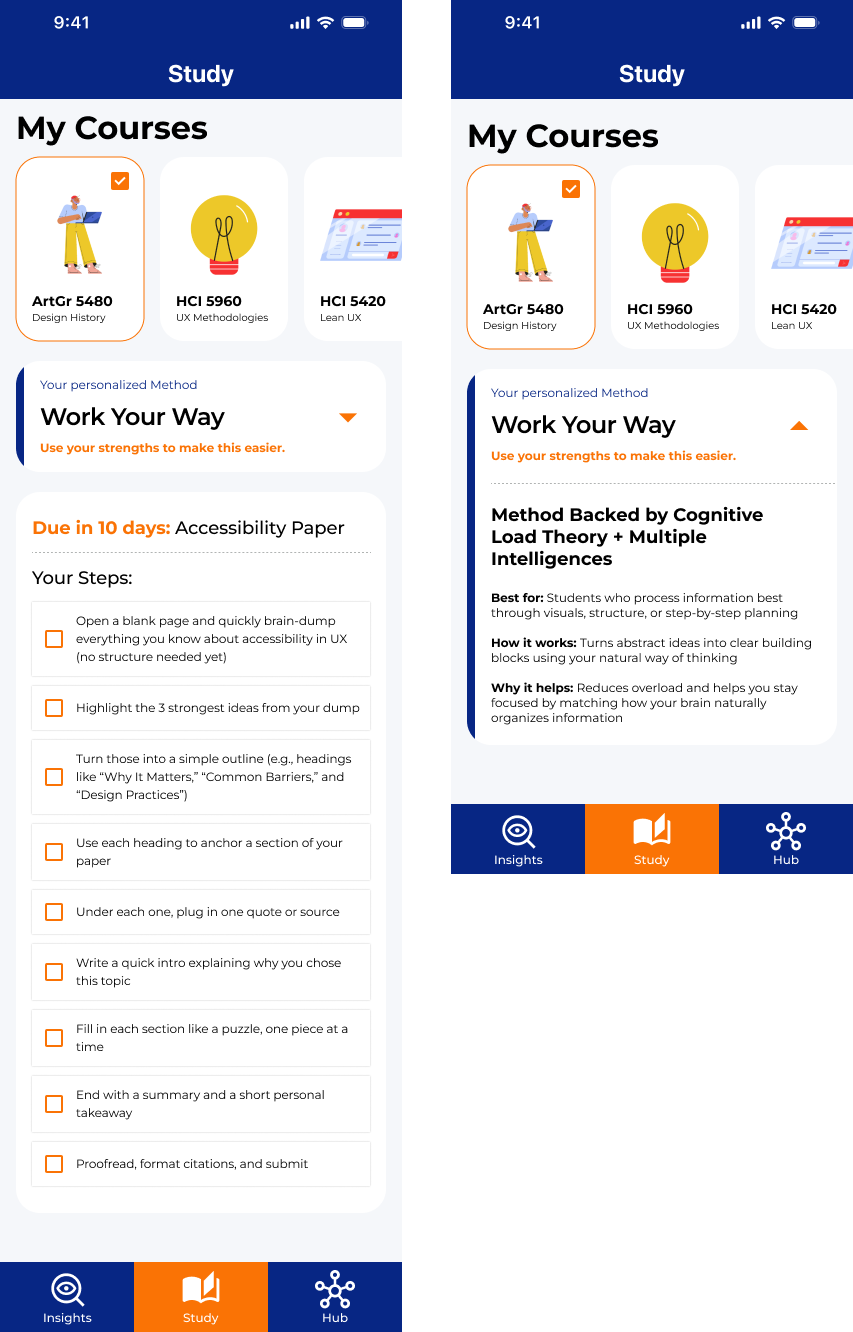
Build Momentum - Large assignments are broken into small, manageable actions to reduce avoidance and make it easier to begin working.
Stack Into Routine - Academic tasks are attached to existing daily habits, helping students integrate studying into routines they already follow.
Focus in Cycles - Students work in short, timed sessions with structured breaks to reduce cognitive fatigue and maintain attention.
Make It Meaningful - Tasks are framed around personal goals and values, helping students reconnect with the purpose behind their work.
Work Your Way - Students are offered multiple ways to approach tasks based on their preferred learning style, such as visual planning or movement-based studying.
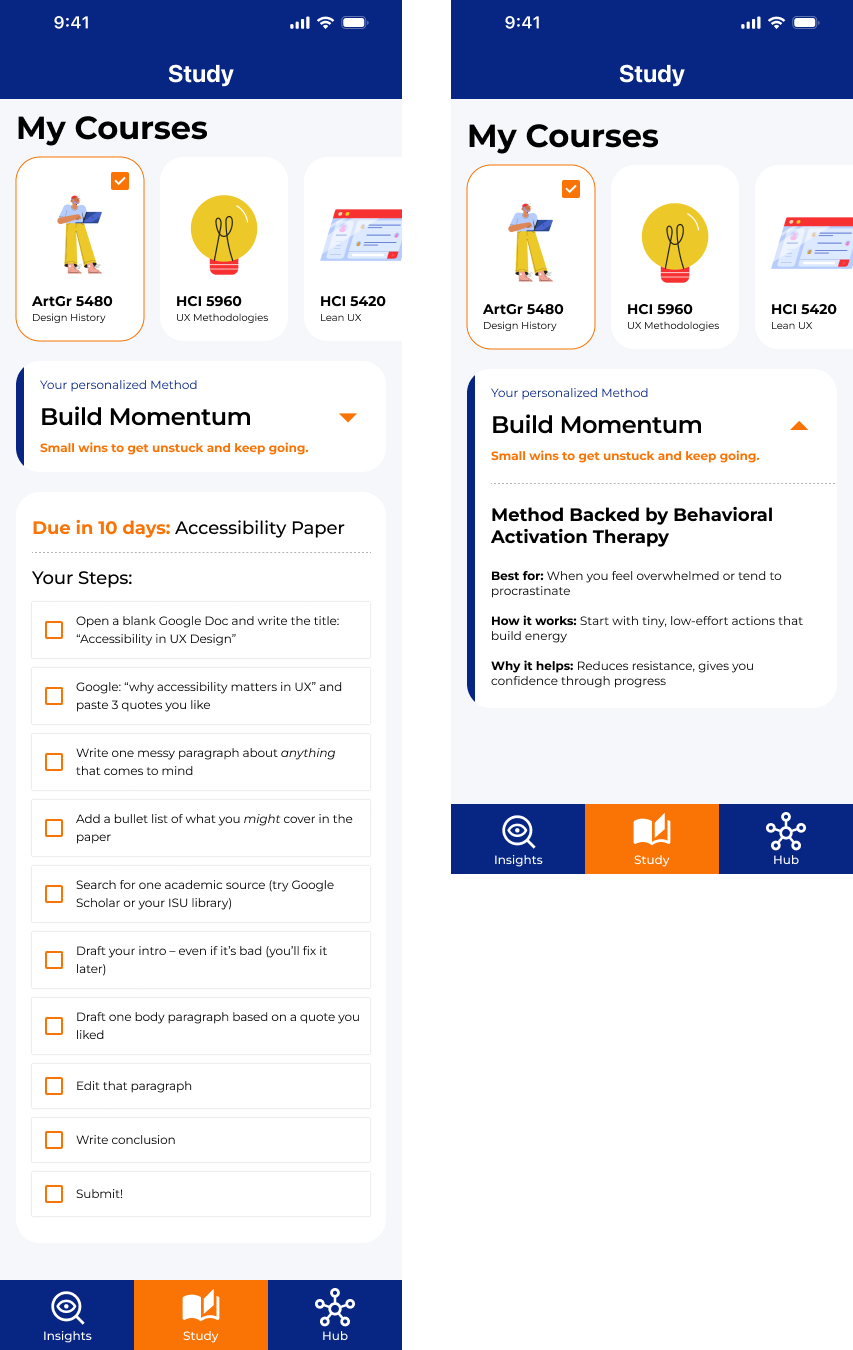
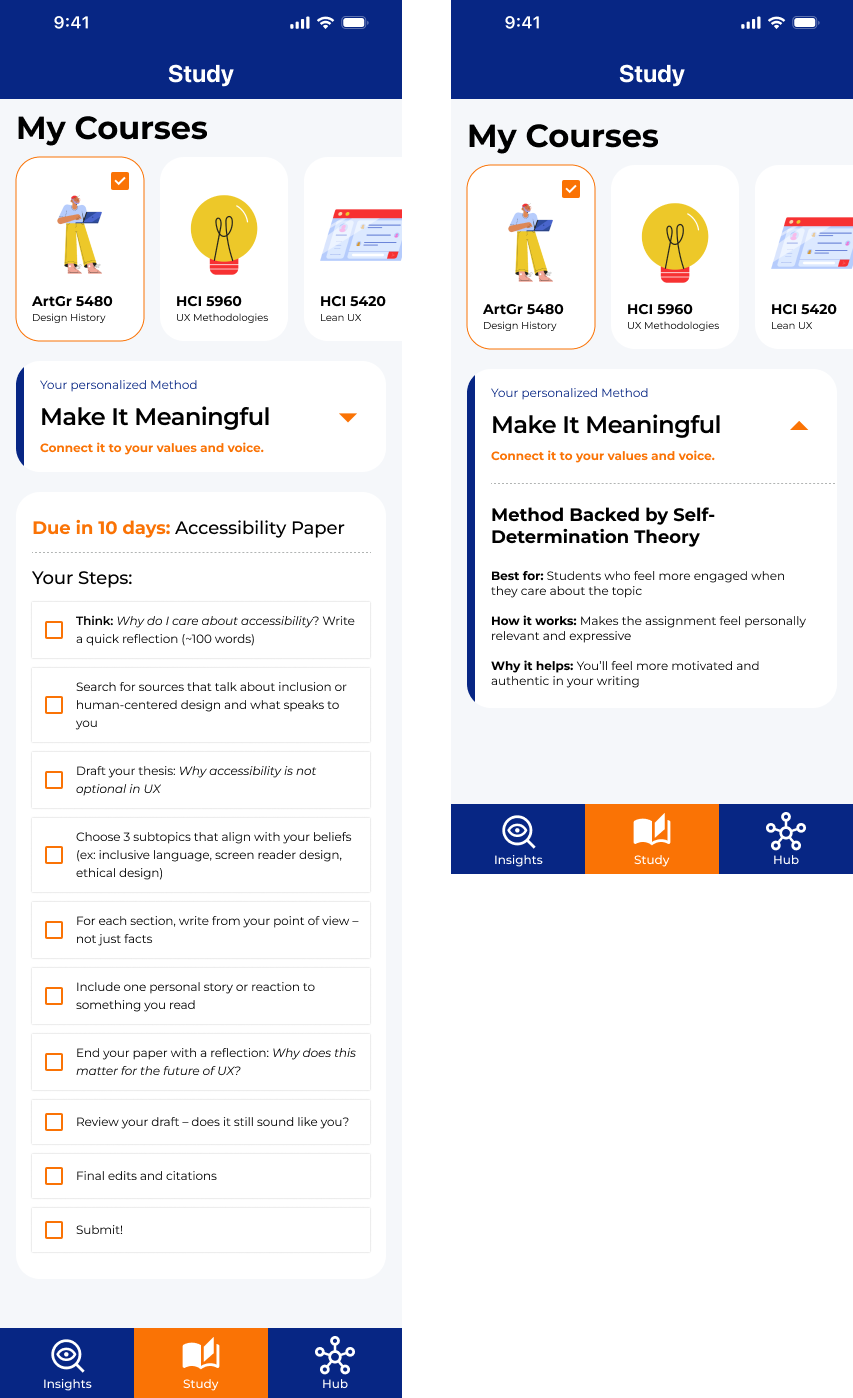
Passive Behavioral Insights
To reduce friction, Momentum avoids requiring students to manually track their behavior.
Instead, the app integrates with tools students already use and gathers signals such as:
• sleep trends
• screen time
• activity levels
• mood logs
• academic deadlines
These signals are summarized into a simple insights dashboard that helps students understand how their habits influence focus and motivation.
From these patterns, the app generates small, contextual recommendations designed to support progress without overwhelming the user.
Emotional Design
Many productivity tools emphasize urgency through aggressive notifications and high-pressure visual cues.
Momentum takes a different approach.
The interface was intentionally designed to feel calm and encouraging rather than stressful. Features focus on small wins and manageable actions, helping students rebuild confidence during periods of low motivation.
The design aims to reduce the emotional weight associated with academic tasks by presenting them as achievable steps rather than overwhelming obligations.
Visual Design
The visual system was designed to reinforce the product’s emotional tone.
Primary design choices include:
• Blue as the primary color to convey calm, clarity, and focus
• Orange accents to add warmth and energy
• generous whitespace to reduce visual clutter
• clean typography to maintain readability and structure
The logo uses a rolling shape pushing forward into blocks forming an "M," symbolizing the idea that small actions can create forward momentum over time.
Outcomes
Momentum demonstrates how behavioral science and UX design can be combined to create more supportive productivity systems.
The concept highlights a shift from traditional task-management tools toward systems that consider the broader context of a user’s life, including energy levels, habits, and mental well-being.
By focusing on small, adaptive interventions rather than rigid productivity frameworks, the design encourages sustainable motivation rather than short-term bursts of activity.
Reflection
Designing Momentum reinforced the importance of creating systems that respect users’ real circumstances rather than assuming constant motivation.
Students often struggle not because they lack discipline, but because their cognitive and emotional capacity fluctuates throughout the semester.
Designing for those moments required building a system that offers guidance without pressure and support without adding complexity.
Future Opportunities
Future development could explore:
• user testing with students to validate behavioral recommendations
• deeper personalization of motivational strategies
• adaptive notifications based on motivation cycles
• expanded accessibility for students with ADHD or executive function challenges
These directions would help refine the system while maintaining the core goal of supporting students through thoughtful, low-friction design.